
If you post on Threads often, publishing everything manually can make scaling much harder.
You may miss a time slot, forget to complete a draft, open the app to post one thing, and then lose 20 minutes scrolling. The list goes on.
Some social tools still treat Threads like an extra checkbox. They were built for Instagram, X, or LinkedIn first. Threads came later. So the experience is not as great.
However, there are a few tools that are Threads-specific. That means they are built around Threads and keep up with the platform's latest trends and features.
This guide compares seven tools that support Threads in 2026, so you can view features and choose a Threads scheduler tool that meets your needs.
[Table of contents]
Try BlackTwist for free
4,000+ creators and small companies use BlackTwist to grow their audiences every monthTL;DR
- Comparing seven Threads schedulers to see which one fits different workflows in 2026.
- BlackTwist is built for Threads-first users who want scheduling, analytics, reply management, and AI-assistant workflows in one place.
- Buffer is a simpler low-cost option for solo users.
- Hootsuite and Sprout Social are better suited to teams that need approvals, reporting, and broader cross-platform management.
- Later fits creators planning Threads alongside Instagram.
- Metricool is worth considering if free scheduling and analytics matter most.
Our Top Picks for Threads Schedulers
- BlackTwist
- Buffer
- Hootsuite
- Later
- SocialBee
- Sprout Social
- Metricool
Top Features to Look for in a Threads Scheduler
Before you consider any tool, you need a few criteria so you can compare tools.
A good Threads scheduler should do more than publish posts on time. It should also:
- Make scheduling easy: You should be able to use it to write a post, drop it into a calendar, and move on. If the setup feels heavy, people stop using it.
- Help you stay consistent: It lets you queue slots, offers recurring times, drag-and-drop calendars, and drafts.
- Give you useful insights: You need to know which posts got reach, which ones got replies, and whether your posting habits are improving.
- Fit your setup: A solo creator needs something different from an agency. A Threads-first writer needs something different from a team posting to six networks.
- Offer pricing that makes sense: A tool can be strong and still be the wrong buy because you never get to use all those dozen of extra features.
Overview of Top Threads Schedulers in 2026
We picked these tools for their feature depth, clear pricing, ease of use, scalability, and how well they handle Threads as part of a wider social media workflow.
Some are a stronger fit for Threads-focused publishing, while others are better for teams juggling multiple channels at once.
Threads Scheduler: Overview Comparison Table
| Tool | Top feature | Best for | Price |
|---|---|---|---|
| BlackTwist | Threads-first workflow | Threads-first creators | From $12.50/mo |
| Buffer | Simple post scheduling | Solo users | From $5/channel/mo |
| Hootsuite | Cross-platform management | Agencies and teams | From €99/mo |
| Later | Visual content planning | Instagram-led creators | From $18.75/mo |
| SocialBee | Category-based scheduling | Recurring content workflows | From $24/mo |
| Sprout Social | Reporting and approvals | Enterprise teams | From $199/seat/mo |
| Metricool | Free scheduling analytics | Budget-conscious users | Free plan available |
BlackTwist
What it is
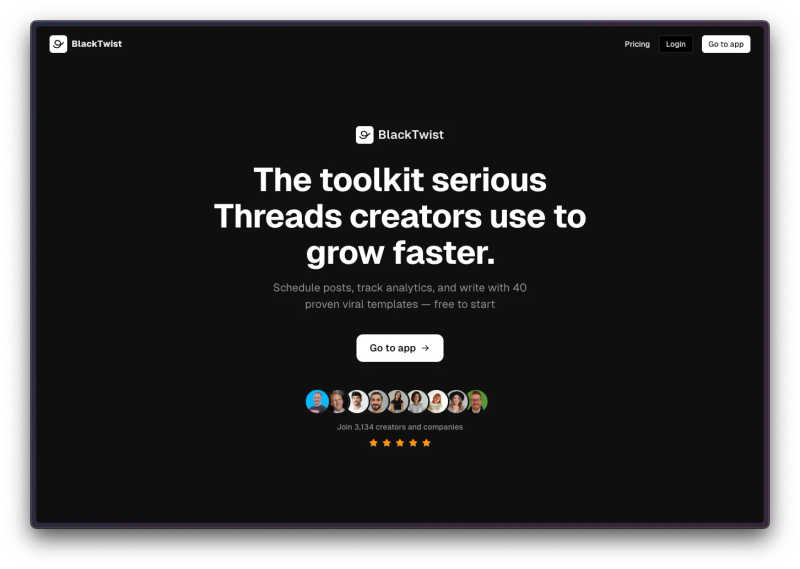
BlackTwist is a social media tool built around Threads and Bluesky. It focuses on scheduling, analytics, reply management, and growth workflows for text-first creators and teams instead of trying to be everything for every platform.
Top features
- Threads-first scheduling: Schedule single posts and threads, use time slots, and manage content in a calendar view.
- Bulk upload: Plan, upload, and schedule up to 100 posts at once using a simple CSV file.
- Detailed analytics: Tracks views, likes, replies, reposts, follower growth, and engagement rate.
- Reply management: With Engager, you can see and answer Threads comments from one inbox.
- MCP server: Connects BlackTwist to AI assistants, and BlackTwist offers the MCP integration for free on all plans.
- Zapier integration: BlackTwist now integrates with 7,000+ apps through Zapier.
- Free Inspiration Hub: Find proven viral post templates with simple step-by-step guidance.
- AI-powered Threads post ideas: Get 3 engaging Threads post ideas in seconds. It’s free to use and lets you pick your niche, tone, topic, and content type.
Pricing
BlackTwist has a free plan. For more extensive use, its pricing page shows:
- Creator at $12.50/month billed yearly
- Team at $29/month billed yearly
- Agency at $49/month billed yearly
Trust signals
- BlackTwist has over 4,000 creators and companies that use it.
- It has been reviewed by several creators who are happy with the results. See the reviews here, here, and here.
- The product has a dedicated help center for MCP and app workflows.
What’s missing
BlackTwist goes deeper on the Threads-specific workflow than the broad social suites do. The trade-off is obvious: it is much narrower if you need one tool for every platform.
Start using BlackTwist for free.
Buffer
What it is
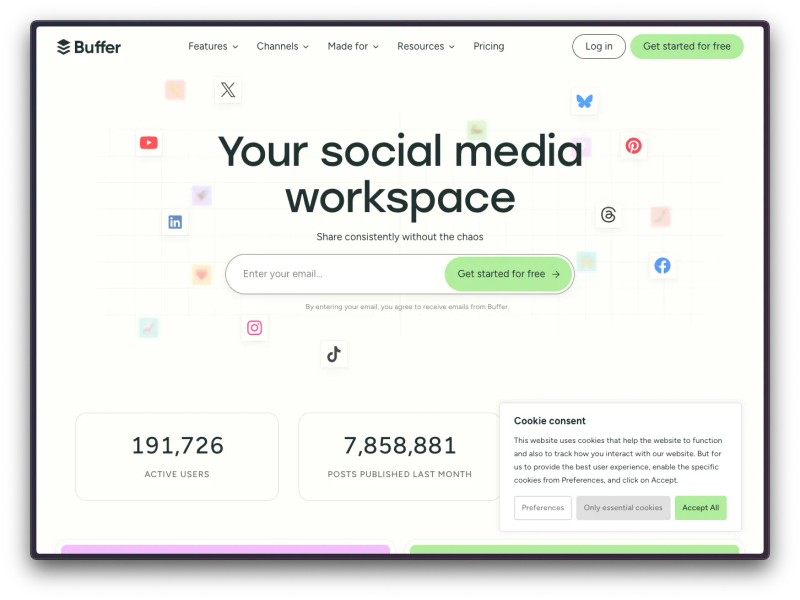
Buffer is a long-running social media tool built around simple scheduling, publishing, and lightweight collaboration. Its Threads product page positions it as a way to plan, publish, optimize, and reply without getting stuck inside the feed.
Top features
- Queue-based scheduling: Use it for repeat posting.
- Threads support: Schedule Threads posts, images, videos, carousels, and ghost posts.
- Trending Topics: See what people are talking about on Threads while you write.
- Community inbox: Buffer brings Threads comments into one place for replies.
- AI assistant and analytics: AI Assistant is available on all plans, while Analyze is available only on paid plans.
Pricing
Buffer has a free plan. Its pricing page shows:
- Essentials at $5/month per channel billed yearly
- Team at $10/month per channel billed yearly
Trust signals
- Its free plan supports up to 3 channels.
- Buffer says 190,000+ creators, small businesses, and marketers use it each month.
What’s missing
- Threads feels secondary: Buffer supports Threads, but it is still a general social tool first.
- Limited growth depth: Good for scheduling and basic workflow, weaker for deeper Threads-specific strategy and optimization.
- Less built-in automation: Fine for simple posting, but lighter if you want more advanced growth systems or follow-up flows.
- Can get pricey as you scale: The low starting price is solid, but costs rise as you add more channels.
Start with Buffer’s free plan if you want the simplest setup.
Hootsuite

What it is
Hootsuite is a broad social media management platform built for publishing, analytics, inbox management, listening, and team workflows across many networks.
You can use it to schedule and auto-publish Threads posts alongside Instagram, X, Facebook, LinkedIn, TikTok, Pinterest, and YouTube.
Top features
- Multi-platform scheduling: Hootsuite supports a large list of social networks in one dashboard.
- Unlimited scheduling: Standard includes unlimited scheduled posts.
- Analytics and best-time posting: Hootsuite includes analytics, post-performance tracking, and best-time recommendations.
- Competitor benchmarking: Standard supports benchmarking against up to five competitors.
- Listening and collaboration: Hootsuite includes social listening, internal comments, and message assignment features.
Pricing
Hootsuite’s pricing is on the higher end, listing the following tiers:
- Standard at €99/month billed annually
- Advanced at €249/month billed annually
- Enterprise has custom pricing
Prices are shown in EUR based on annual billing, excluding taxes. Also, they offer no freemium, but they do have a 30-day free trial.
Trust signals
- Hootsuite has been in the market for years and supports advanced team use cases.
- It offers a dedicated Threads page with scheduling and analytics messaging.
What’s missing
- Expensive for solo users: Hard to justify if Threads is your main channel.
- Too broad for simple needs: Built for multi-platform teams, not lean solo workflows.
- More setup, more friction: The bigger feature set can slow down day-to-day use.
- Threads is not the focus: Strong overall platform, but not the deepest option for Threads-specific growth.
Book a Hootsuite demo if your team needs approvals, listening, and cross-platform reporting.
Later

What it is
Later is a social media management tool for creators who want to build engagement through visual planning workflows. Its Threads pages focus on drag-and-drop content planning, media handling, and auto-publishing from desktop and iOS.
Top features
- Visual calendar: Later leans hard into drag-and-drop planning.
- Media library: Good fit for teams working with a lot of visual content.
- Threads auto-publishing: Threads posts are supported for auto-publish.
- Supported post types: Text-only, image, video, and carousel posts are supported on Threads.
- Analytics and inbox: What’s included depends on the tier.
Pricing
Later’s pricing page lists paid plans and add-ons, and its help docs say Threads scheduling is available on all plans, including Free. The pricing page shows:
- Starter at $18.75/month billed annually
- Growth at $37.50/month billed annually
- Scale at $82.50/month billed annually
Later offers a limited free plan and a 14-day free trial on paid tiers.
Trust signals
- Threads scheduling is documented in Later’s official help center.
- Later’s pricing page shows platform analytics, inbox, and AI tools on paid plans.
What’s missing
- Instagram-first by design: Later still feels built around visual planning more than text-first posting.
- Less natural for Threads creators: It works for Threads, but the workflow fits image-heavy teams better.
- Limited Threads depth: Good for scheduling, weaker for deeper Threads-specific strategy or growth features.
- Higher cost for basic use: Can feel pricey if you mainly want simple Threads scheduling.
Try Later if your team plans Threads next to Instagram and cares a lot about visual workflow.
SocialBee
What it is
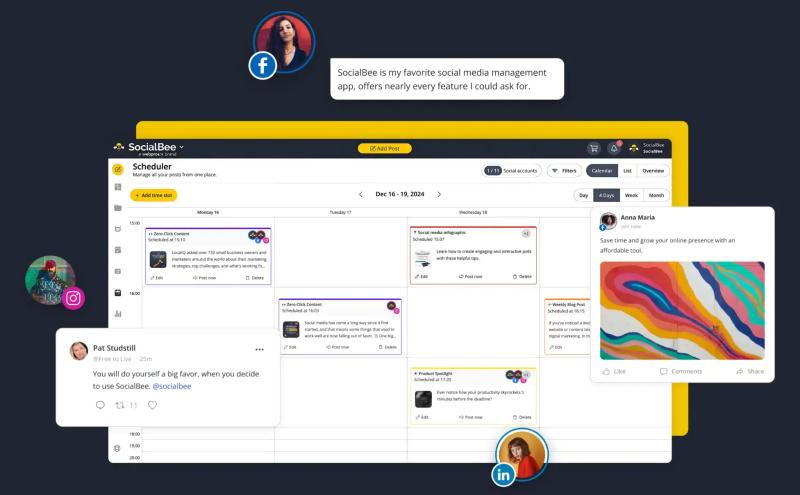
SocialBee is a multi-platform scheduling tool built around content planning, recurring posting, categories, and AI-assisted creation. Its Threads page positions it as a Threads-friendly part of a bigger social workflow.
Top features
- Calendar-based planning: SocialBee lets you schedule and organize content from one calendar.
- Category-driven posting: This is one of SocialBee’s better-known strengths for repeatable workflows.
- Threads support: SocialBee has a dedicated Threads landing page.
- AI and publishing tools: SocialBee positions itself as an AI-powered social media management tool.
Pricing
SocialBee’s Threads Standard tiers include:
- Bootstrap at $24/month billed annually
- Accelerate at $40/month billed annually
- Pro at $82/month billed annually
It also offers a 14-day free trial on each of these plans. Agency tiers are listed separately.
Trust signals
- SocialBee publishes testimonials from users and brands like BL.INK, Skyline Insurance Agency, 5000fish, and Next Level Mentor, with specific comments about approvals, post-recycling, and time saved.
- Capterra reviews highlight value for money, analytics, and multi-platform scheduling.
What’s missing
- More setup than simple tools: SocialBee’s category-based scheduling is useful, but it can take more planning upfront than a lighter tool like Buffer.
- Not the cheapest starting point: Standard plans start at $29/month, so it is harder to call it a budget pick.
- Lower tiers are limited for teams: The Bootstrap and Accelerate plans allow 1 user per workspace, so collaboration stays tight unless you move up.
- Threads is supported, not specialized: SocialBee supports Threads well, but it is still a broad social media platform and not a Threads-first tool.
Sprout Social
What it is
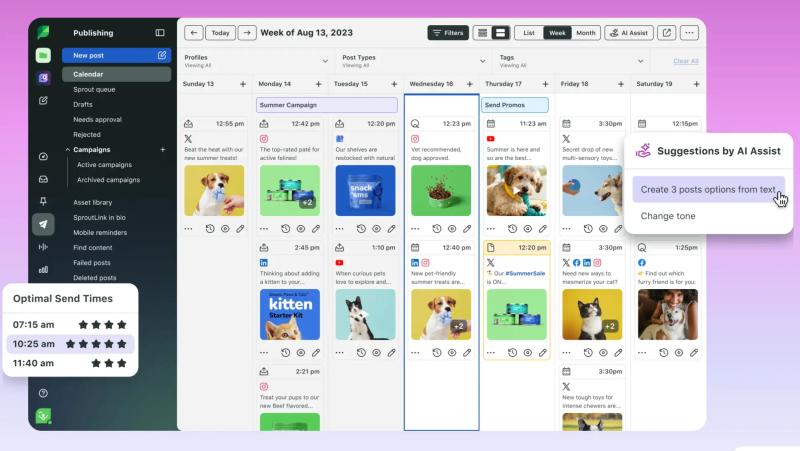
Sprout Social is a premium social media platform built for publishing, collaboration, customer care, analytics, and reporting. Its Threads guide says you can strategize, create, schedule, approve, and measure Threads content alongside other major platforms.
Top features
- Team workflows: Sprout is built for approvals, shared workflows, and branding.
- Asset library and tagging: Useful for structured team publishing.
- Smart Inbox: Good for teams handling higher message volume.
- Reporting and analytics: Sprout’s product and pricing pages lean heavily into analytics and business reporting.
Pricing
Sprout Social’s pricing page lists:
- Standard at $199/seat/month billed annually
- Professional at $299/seat/month billed annually
- Advanced at $399/seat/month billed annually
- Enterprise with custom pricing
They also offer a 30-day free trial.
Trust signals
- Sprout says it is trusted by 30,000+ brands, and its site highlights names like UNICEF, Blue Cross, HP, General Mills, CDC, Edelman, Square, Levi’s, and DoorDash.
- Sprout publishes case studies showing results for brands like Papa John's and agency teams like Disobey, which gives you actual proof of use beyond sales copy.
What’s missing
- High price point: Sprout Social is a tough sell if you mainly want basic Threads scheduling.
- More tool than most creators need: Built for teams, approvals, and reporting, not simple solo posting.
- Heavier workflow: Strong structure comes with more process and less day-to-day speed.
- Threads is just one piece: Great for broad social management, but not the most focused option for growth on Threads.
Metricool
What it is
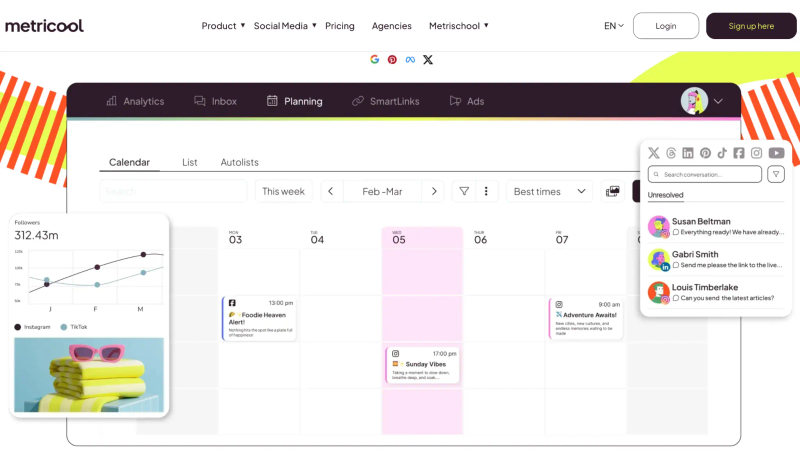
Metricool is a social media planning and analytics tool with a strong budget angle. Its Threads page says you can schedule and analyze Threads posts for free, while its main site pushes planning, measurement, and management in one dashboard.
Top features
- Threads scheduling and analytics: Metricool has both available for Threads.
- Free plan: A big reason people try it.
- Cross-network management: Built to manage social and ads from one place.
- Premium upgrade path: Paid plans add more scale for creators, teams, and agencies.
Pricing
Metricool has a free plan, and its pricing pages show:
- Free at $0/month
- Starter from $20/month billed annually
- Advanced from $53/month billed annually
- Custom pricing available on request
Trust signals
- Metricool is a Google, Pinterest, Meta, and X partner on its homepage, and its Threads page calls out Official Meta Partners status. That matters for a platform connecting directly to social networks.
- Metricool has over 2.5 million social media managers who use the platform every day on its Threads page, while over 3.5 million professionals use Metricool overall.
What’s missing
- Not built for Threads first: Metricool supports Threads, but it is still a broader social tool.
- Less specialized insight: You get more than basic scheduling, but not the deepest Threads-specific growth features.
- Mid-level workflow depth: Stronger than bare-bones tools, but not as tailored for serious Threads operators.
- Best when budget matters: Good value, but there is some trade-off in specialization.
Choose the Right Threads Scheduler for Your Workflow
The right pick comes down to how important Threads is in:
- Your content strategy
- How many accounts you’re managing
- Whether you just need a straightforward scheduler or a more complete social media platform
Some tools are built for lighter publishing needs, while others are a better match for teams that need approvals, reporting, and coordination across multiple channels.
- If Threads is a core platform for you and you want scheduling, analytics, reply management, and AI-assisted workflows in one place, BlackTwist is built for that.
- If you’re after a simpler, more affordable scheduler for a smaller setup, Buffer could be the stronger option.
- If your team runs several social channels and needs approvals, social listening, or broader reporting, Hootsuite or Sprout Social are both worth a look.
- If your workflow is more visual and you manage Threads closely alongside Instagram, Later may be a better fit.
- If organizing around recurring content categories is a priority, SocialBee stands out.
- If your main focus is free scheduling and analytics, Metricool is a practical place to start.
If you want a closer side-by-side comparison based on your workflow, book a demo, or take a product tour and explore the options at your own pace.
Want the deepest Threads-focused option? Try BlackTwist first.
[CTA-Banner]
FAQs
Do you really need a Threads scheduler in 2026?
Yes, if you post often. A scheduler can support your Threads social media strategy by allowing you to batch content, stay consistent, and avoid posting manually every day.
Does Threads have native scheduling?
Yes, Threads has added native scheduling, but third-party tools still matter when you need:
- Calendar views
- Multi-account support
- More in-depth analytics
- Ways to repurpose your high-performing posts
- Reply management
- Connection to the rest of your stack
Which Threads scheduler is best for solo creators?
For a Threads-first solo creator, BlackTwist is the strongest fit. For a lower-cost general tool, Buffer is usually the easier pick.
Which Threads scheduler is best for agencies?
Hootsuite and Sprout Social make the most sense for agencies and larger teams because they are built for approvals, reporting, inbox workflows, and scale.
Which Threads scheduler is best if I post mostly images and videos?
Later is a great tool if you mostly post videos on Threads. Its whole setup leans toward visual planning, media handling, and drag-and-drop scheduling.
Are there any good free Threads schedulers?
Yes. BlackTwist, Buffer, Later, and Metricool all offer some kind of free entry point or free Threads access. What you get on those free options is different, so check limits before you commit.
What is the best Threads scheduler overall?
If your goal is serious Threads growth, BlackTwist can help a lot. If your goal is broad social management, Buffer, Hootsuite, or Sprout Social may be the better buy depending on your budget and team size.
Related Readings
- Is Threads Worth It for Your Business in 2026?
- How to Set Up Automated Follow-Up Replies From Claude
- Does Threads Pay Creators
- Can You View Threads Without an Account
- Does Threads Notify When You View a Profile
- Can You See Who Views Your Threads
- How to Remove Threads from Instagram
Final Take on Threads Schedulers
Most creators do not need the biggest social media management platform. They need the one they will keep using next week.
Start by picking one tool and building a posting habit. Then, improve the system after you have enough data to guide your decision.
Just keep in mind that more features in the beginning usually mean a steeper learning curve, which could make it more difficult to stay consistent.
If you are focused on Threads and want deeper platform-specific tools without wearing too many hats, BlackTwist is the strongest option in this group.