
By 2026, should we be on Threads? is the wrong question.
Show up there regularly with genuinely useful posts, and it’s really hard not to get great results.
But that’s easier said than done.
If you want to know where to start and learn from what works instead of just posting to tick a box, you need a Threads marketing strategy made for your brand.
In this article, we’ll discuss how Threads fits into your marketing funnel in 2026 and how to create a simple system to plan, post, and optimize without burning out.
Try BlackTwist for free
4,000+ creators and small companies use BlackTwist to grow their audiences every month- Why does Threads matter for brands in 2026?
- What makes a Threads strategy different from X or Instagram?
- How do you design a Threads content system that you can keep up with?
- What should brands post on Threads to drive awareness, traffic, and conversions?
- When is the best time to post on Threads in 2026?
- How do you use analytics to improve your Threads results every month?
- Strategy check: Is your Threads marketing strategy a repeatable system?
- Related Reading
- Takeaways
Why does Threads matter for brands in 2026?
Threads has grown rapidly through 2024–2025, while independent estimates suggest X’s usage is at best flat and possibly declining slightly in some regions.
Yet, only a small number of marketers use Threads as a core channel.
Threads is also built on top of Instagram’s network, so your brand has a head start the moment you join.
What that means for you:
- Less competition in the feed than on Instagram or TikTok
- Better organic reach (for now)
- A cleaner place to build voice, community, and thought leadership
If you do have an active Instagram account, make sure to add your link to your Instagram Bio in order to send your audience to your Threads account.
What makes a Threads strategy different from X or Instagram?
When branding on Threads, you can lean into conversation over headlines with more replies, questions, and threads and fewer polished press releases.
Story and context are also really important. You can use a post like, here’s what we tried, what broke, what worked.
But how to position Threads vs. other platforms?
Here’s a simple model of how the content is angled on each platform:
- Instagram says, “Look at this.”
- LinkedIn is more like “Here’s the finished case study.”
- Threads says, “Here’s the real-time brain dump of how we’re figuring this out.”
How do you design a Threads content system that you can keep up with?
Managing random bursts of content is how teams burn out. Here are a few simple steps you can follow to create efficient workflows while building engagement:
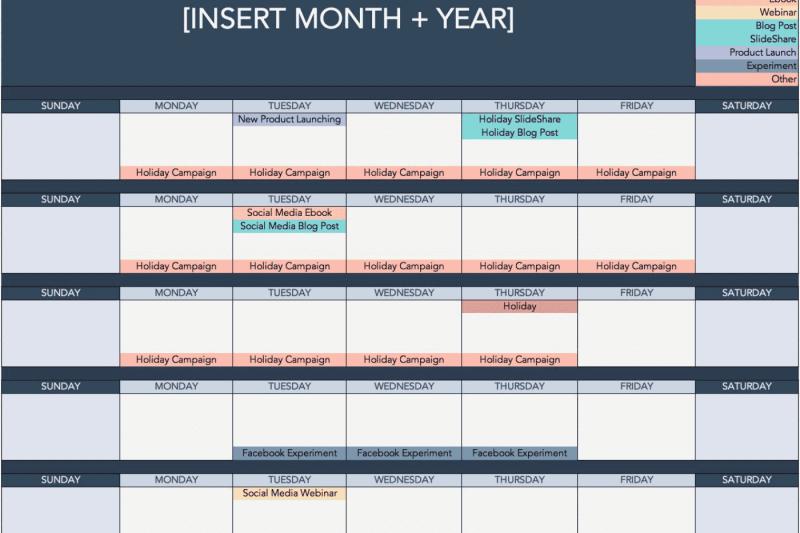
Step 1: Set posting lanes
Pick 3 to 5 content lanes, such as:
- Teach-by-doing
- Point of view
- Proof
- Build in public
- People (founders, team stories, new hires, etc.)
Then match lanes to days. It can be a template such as this one:
Step 2: Set your posts into a weekly queue
Use a Threads-specialized tool like BlackTwist to queue your posts.
BlackTwist lets you set up posting time slots (for example, Mon–Fri at 9:00 and 15:00, and Sat–Sun at 11:00) and assign each slot a lane.
As a best practice, you can tag your posts to match those lanes for your own organization.
Each week, your job is to fill the buckets, which concentrates your tasks for better management while giving you a better idea of your workflows.
Step 3: Make idea capture stupidly easy
We all know that creativity does not follow command. So what do you do when your good ideas show up:
- In meetings
- On calls
- Away from your laptop?
Again, you need a system to catch those ideas, jot them down, see how they look on a mobile screen as the reader would, and post or schedule them. What if you could do all that in one go?
If you install BlackTwist as a PWA on your phone, you get to:
- Save quick bullet points as draft posts when they pop up
- Turn them into carousels or threads and drop them into the right queue
What should brands post on Threads to drive awareness, traffic, and conversions?
Every post should do one explicit job.
Here’s a simple mix that works for most B2B brands.
1. Awareness posts to make people stop scrolling
The goal in this stage is to understand who these people are.
These can be:
- Bold, clear statements about broken things in your market
- This-is-broken posts with 1 to 3 supporting points
- Simple carousels (3 to 5 frames):
- Frame 1: punchy hook
- Frames 2 to 4: steps or mistakes
- Final frame: A single soft CTA (follow, read a guide, etc.)
Use BlackTwist’s Carousel Generator to turn strong threads into swipeable summaries.
2. Demand posts to teach your method
The goal here is to get your message to people who clearly know what you’re doing. Show how you actually work.
Is your audience (or a segment of it) ready to check out or sign up? Then you need some conversion posts. For example, here’s the email we use for cold outbound and why it works.
Turn these into carousels or deeper threads. These are the posts that:
- Get bookmarked
- Build authority
- Make later CTAs feel natural, not pushy
Pro tip: You can even automate them with BlackTwist, so your posts are sent out at the right time (when your audience is most active) without you having to be hands-on all the time.
3. Conversion posts to move people to action
Are your audience (or a section of them) ready to check out or sign up? You need to create some conversion posts then.
These should:
- Point to one specific offer (guide, webinar, tool, trial)
- Explain who it’s for and what they’ll get
- Sit on top of a base of teaching and proof posts
A simple pattern you can put to use is to say, If you liked the last few posts on [topic], we put everything into a [guide/checklist]. Grab it here: [link].
When is the best time to post on Threads in 2026?
You’ll see plenty of ‘best time to post’ charts from big datasets. They’re fine as a starting point, but the only thing that really matters is when your audience is active.
Use this simple process:
- Pick 3 or 4 time bands in your main time zone.
- Set those as time slots in BlackTwist and rotate posts through them for 2–3 weeks.
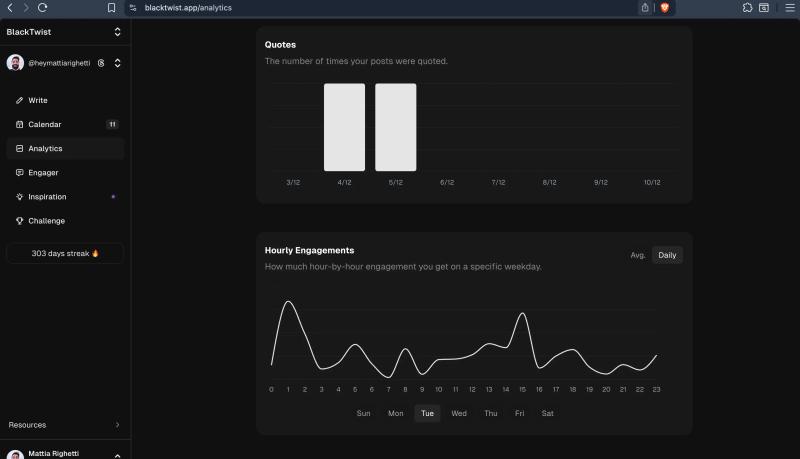
- In BlackTwist Analytics (or via CSV), check by posting hour. Which slots get the most replies? And which slots drive the most clicks or conversions?
In Analytics, you can use the Best Time to Post chart to see which time slots get the most replies, clicks, or conversions.
How do you use analytics to improve your Threads results every month?
Most brands glance at likes and move on. You can do far better with a light analytics loop.
Once a month:
1. Sort posts by performance
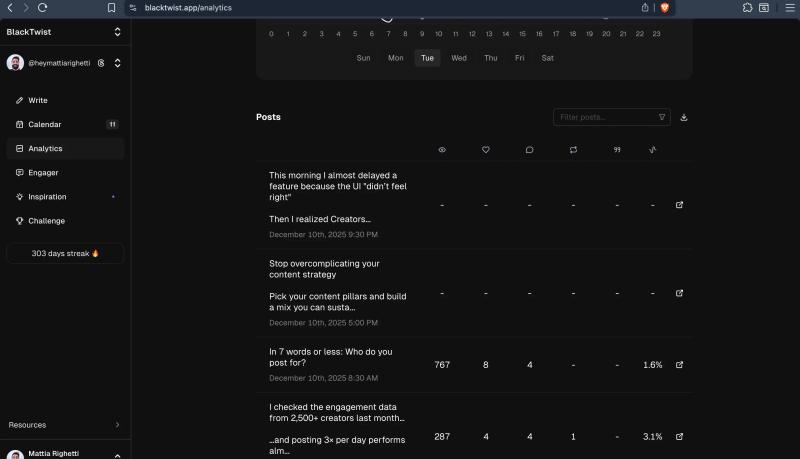
In BlackTwist Analytics, you can:
- Sort by publish date (default), views, likes, replies, reposts, quotes, or engagement
- Search by text to quickly find specific posts
- Pull your top-performing posts (for example, the top 10%) and reuse what worked
Here’s what it’d look like on your personal dashboard:
2. Upgrade your winners
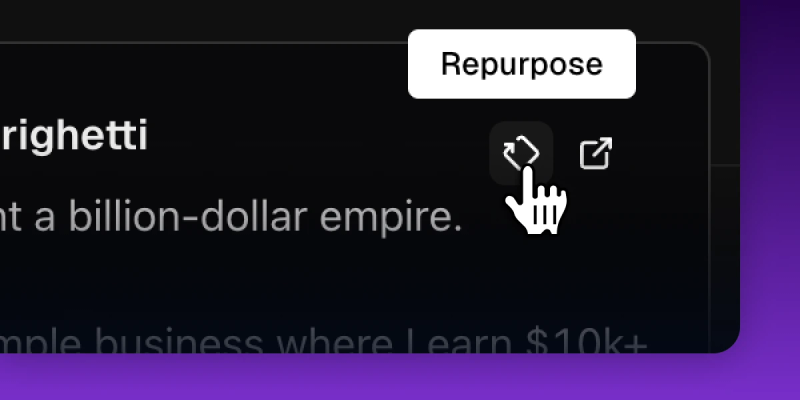
Find your high-performing posts in the Analytics. However, make sure to rework the hook and update the example or screenshots, if there are any.
When repurposing, you can also turn it into a carousel or longer thread if it was short. Once complete, drop the improved version back into your queues for new time slots or days.
3. Cut out the underperformers
If a lane or sub-topic never picks up, pause it completely. The rule of thumb is to focus on performance metrics to repeat winners and retire losers.
BlackTwist makes this super easy because everything is sortable and reusable. Basically, everything that you need to run and improve your Threads marketing strategy.
Strategy check: Is your Threads marketing strategy a repeatable system?
Your strategy only works if it’s set on a repeatable system. Here’s what BlackTwist actually does for a Threads-focused team.
Want to double-check if everything can run for maximum productivity? You need to:
- Queue time-slots to set your posting schedule once, and add posts into the queues
- Keep your slots filled, so you stay consistent without micro-managing a calendar
- Install the PWA on your phone to capture ideas as drafts the moment they hit
- Use built-in Analytics for marketers to see what works per topic or the pillars you are targeting, and not just per post
- Export CSVs to show leadership real results
- Use the built-in drafting features to take a winning post straight from Analytics into the editor
- Manage multiple brands on the same calendar to see all the workings of your brands from one view
- Reuse winners across accounts without accidental cross-posting
Related Reading
- Threads Algorithm
- Best Threads Accounts to Follow
- Can You Post Videos on Threads
- Threads Monetization Requirements 2026
- How to Make a Threads Account
Takeaways
When your Threads marketing strategy has picked up, you can consider investing in Threads advertising. Of course, you need to build a strong presence first for these ads to work.
Getting tools that help you build a routine is the best way to approach strategizing. With tools like BlackTwist, you can start on the free plan to get moving.
When you need more features like unlimited scheduling and full analytics, upgrade and turn Threads into a serious growth channel.
Get your free BlackTwist account and build your scheduling workflows.