Try BlackTwist for free
4,000+ creators and small companies use BlackTwist to grow their audiences every monthWhat Are the Best Threads Tools in 2026?
TL;DR
- Best all-round tool for Threads: BlackTwist, built only for Threads, with scheduling, analytics, AI ideas, and an AI agent.
- Best value: Metricool, a cheap cross-platform scheduling tool with strong reports.
- Simplest: Buffer offering clean scheduling and a genuinely useful free plan.
- Best for big teams: Hootsuite and Sprout Social with deep reports and listening, but pricey.
- Best for agencies: Vista Social and SocialPilot, which come with lots of accounts without enterprise bills.
- Best niche picks: Threadify (Threads-only AI), Publer (AI captions and images), and Postiz (open-source).
Posting on Threads by hand is fine for a while. You open the app, type, hit post, repeat. But once you get serious about growing, that grind eats your time, and you still can't see what's working. That's the moment a real tool pays for itself.
Threads has passed 500 million monthly users and even added a native scheduler in early 2026. Now, so many creators are adding Threads to their marketing strategy while dozens of apps want to get their attention.
This article reviews the ones creators actually use for scheduling, analytics, content ideas, and growth. This guide breaks down the 12 best Threads tools in 2026, including what each does, what it costs, and who it's for.
Which Threads Tools Should You Look at First?
Here's the short list before we dig in. We put BlackTwist first because it's the only tool built purely for Threads. The rest are broader tools that also cover Threads.
- BlackTwist
- Metricool
- Buffer
- Hootsuite
- Iconosquare
- Publer
- Later
- Sprout Social
- Vista Social
- SocialPilot
- Threadify
- Postiz
What Should the Best Threads Tool Actually Do?
Look for the jobs that save you the most time. The big four are:
- Scheduling so posts go out when you're offline
- Analytics for understanding your performance and repeating what works
- Content ideas so you never stare at a blank screen
- Reply management to help increase your engagement without constantly logging into the app
Native Threads now covers single scheduled posts, so any paid tool has to beat that with a queue, a calendar, real analytics, or cross-posting. If it doesn't, skip it.
Learn exactly how to schedule posts on Threads via the native interface and through third-party platforms using this guide.
Why Use a Threads-Only Specialized Tool?
Most schedulers treat Threads as one more checkbox in a long list of platforms, so you get generic posting and little else. A Threads-only tool is built around how Threads actually works:
- Reply-driven reach
- Early engagement
- Conversation over broadcasting
That focus shows up in the details, like a composer that matches the 500-character limit and post previews, native support for reply chains and carousels, a reply inbox for catching that critical first hour, and analytics tuned to the metrics that move the needle on Threads.
When a tool does one platform well instead of ten platforms halfway, you spend less time fighting workarounds and more time growing.
How Do the Best Threads Tools Compare?
Here's the quick side-by-side before the details. Prices are the lowest verified paid entry point, and most drop when you pay yearly. All 12 support Threads through Meta's official API.
| Software | Top Feature | Best For | Price |
|---|---|---|---|
| BlackTwist | Threads growth + AI agent | Threads-first creators | Free; from $12.50/mo |
| Metricool | Analytics + competitor tracking | Budget cross-platform | Free; from ~$20/mo |
| Buffer | Clean, simple scheduling | Solo creators | Free; from $6/channel |
| Hootsuite | Social listening + reports | Big teams | From ~$99/mo (no free) |
| Iconosquare | 100+ metric dashboard | Deep reporting | Free; from ~$37/mo |
| Publer | AI captions + AI images | Multi-platform + AI | Free; from ~$5/mo |
| Later | Visual drag-drop calendar | Visual planners | From ~$25/mo |
| Sprout Social | Enterprise analytics + inbox | Large brands | From $79/seat/mo |
| Vista Social | Social listening included | Agencies on a budget | Free; from $79/mo |
| SocialPilot | Bulk scheduling + white-label | High-volume agencies | From $30/mo |
| Threadify | AI trained on viral Threads | Threads-only creators | Free; from $19/mo |
| Postiz | Open-source AI agent | Developers / self-host | Free self-host; from $29/mo |
BlackTwist
What it is
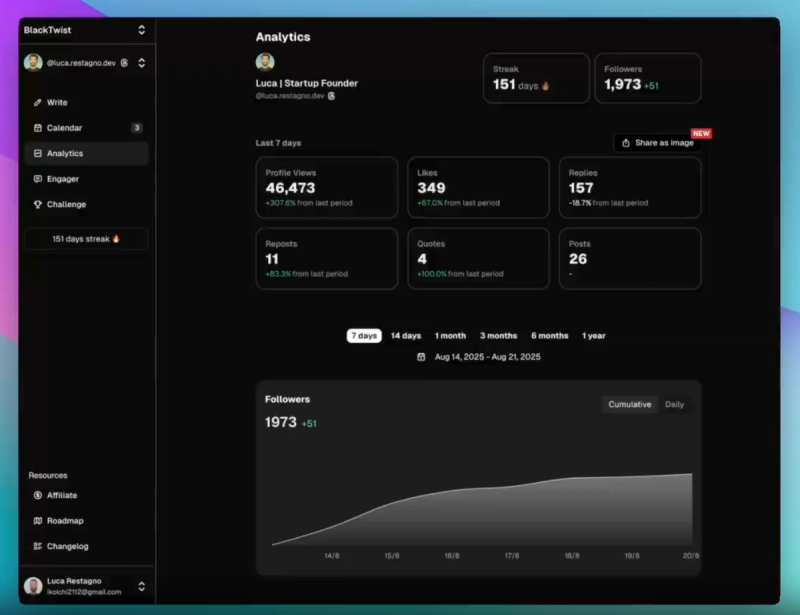
BlackTwist is a tool built only for Threads. It puts scheduling, analytics, a reply inbox, and AI post ideas in one place, so Threads creators don't have to bolt their main platform onto a generalist tool.
It also leans into AI. You can connect BlackTwist to Claude or ChatGPT and run your whole account by chatting. You can draft a post, turn it into a thread, and schedule it, all without opening the dashboard.
Top features
- Threads-specific analytics including profile views, engagement rate, and follower growth over time, with CSV export.
- Scheduling with a drag-and-drop calendar, time-slot queues, and one-click post recycling.
- AI agent (MCP) that drafts, schedules, and pulls analytics from Claude, ChatGPT, or Cursor.
Pricing
- Free plan with base analytics and scheduling.
- Creator at $19/month ($12.50/month billed yearly).
- Team at $39/month ($29/month billed yearly).
- Agency at $69/month ($49/month billed yearly), per BlackTwist.
Trust signals
- BlackTwist reports 3,000+ creators using it to grow on Threads.
- Several reviews, including the one on Uneed, praise the platform for skipping vanity metrics and showing the data that helps you grow.
Best for: Creators and small teams who put Threads first.
Watch out for: It only covers Threads and Bluesky, so it's not the pick if you post across many networks.
Ready to see it work? Start free with BlackTwist or explore the Threads scheduler.
Metricool
What it is
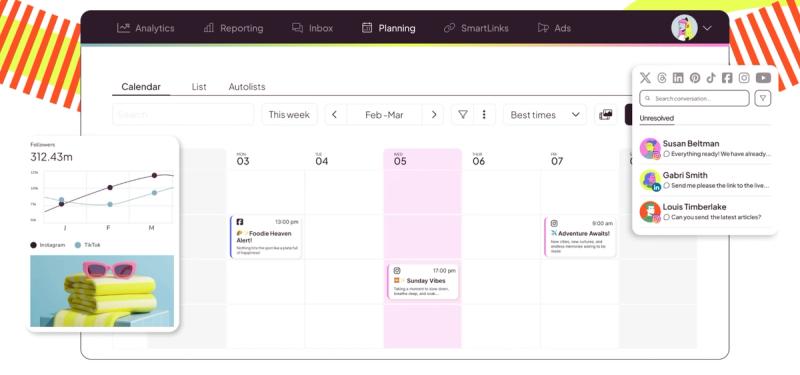
Metricool is a value-focused, all-in-one tool that covers Threads alongside Instagram, TikTok, LinkedIn, and more. When compared to alternatives, Metricool is one of the most popular, used by over 3.5 million people, and is best known for its analytics and reports.
Top features
- Real-time analytics with follower, engagement, and competitor tracking.
- Cross-platform scheduling from one calendar.
- Automated reports in PDF and PPT, plus best-time-to-post suggestions.
Pricing
- Free forever for 1 brand.
- Paid from around $20/month, scaling by number of brands.
- Advanced from $53/month, per Metricool.
Trust signals
- Used by brands like Adidas, Volvo, and McDonald's.
- It holds a 4.5 rating on G2 and 4.4/5 on Capterra, and reviewers repeatedly mention its analytics depth and value.
Best for: Budget-minded creators and teams who post to more than just Threads.
Watch out for: The free plan keeps only 30 days of history, and X/Twitter is a $5/month add-on.
Buffer
What it is
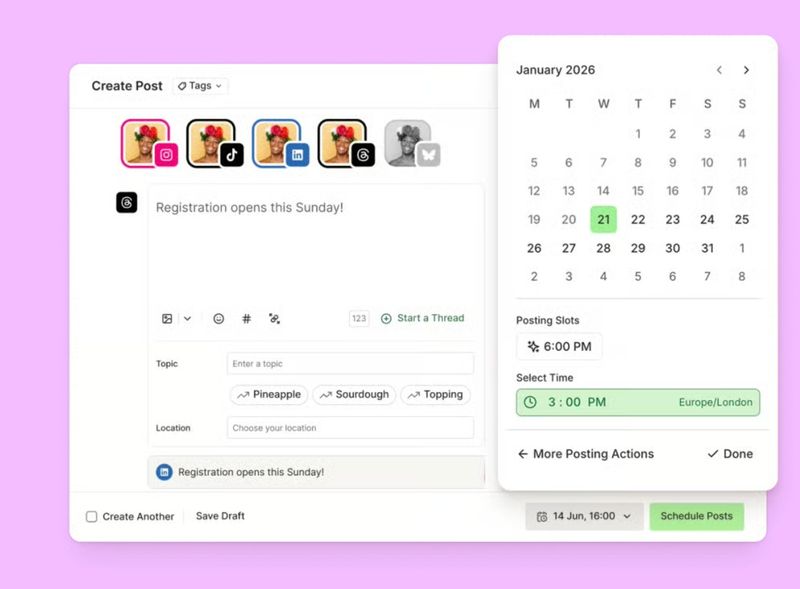
Buffer is the easiest tool to learn, built around clean scheduling. It was one of the first scheduling tools to add Threads back in 2023, and its free AI Assistant helps you draft captions.
Top features
- Simple scheduling with a visual content calendar.
- Free AI Assistant for post ideas, rewrites, and repurposing.
- Branded PDF analytics reports and a link-in-bio page.
Pricing
- Free plan for 3 channels (10 scheduled posts each).
- Essentials at $6/channel/month.
- Team at $12/channel/month, per Buffer.
Trust signals
- Holds a 4.3/5 on G2 and 4.5/5 on Capterra across thousands of reviews.
- Serves 195,000+ monthly active users.
Best for: Solo creators who want simple, reliable scheduling.
Watch out for: Analytics are basic, and per-channel pricing adds up fast once you pass 5 channels.
Hootsuite
What it is
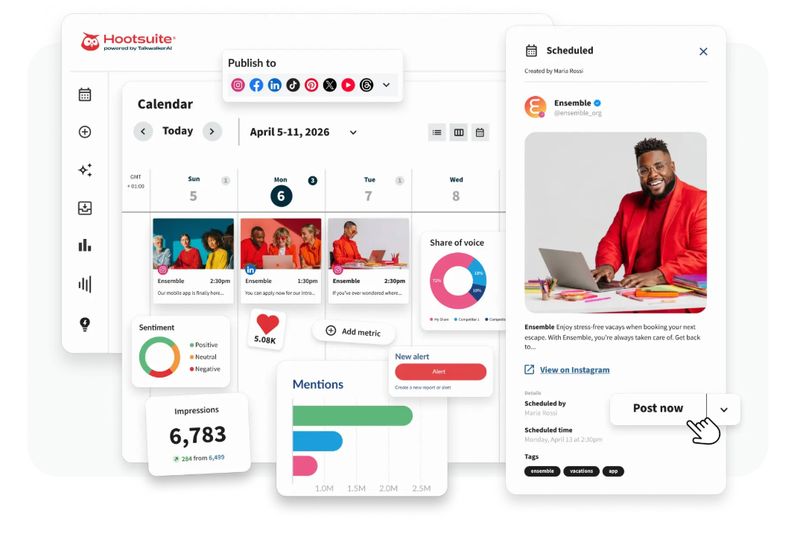
Hootsuite is an enterprise tool built for teams that need deep reports and social listening. It shows Threads performance next to every other network and builds client-ready reports.
Top features
- Custom analytics dashboards and a strong PDF and PowerPoint report builder.
- Social listening and competitor benchmarking (on higher plans).
- Bulk scheduling of up to 350 posts.
Pricing
- No free plan (30-day trial only).
- Standard tier is around $99/month for one user and ~10 accounts.
- Professional is around $199/month for unlimited accounts.
- Team is around $399/month, per Hootsuite data.
Trust signals
- One of the most widely used social tools, trusted by thousands of brands.
- Ranked #1 for social listening in G2's 2025 reports.
Best for: Agencies and larger marketing teams that report to stakeholders.
Watch out for: It's costly, the best analytics sit on higher tiers, and Capterra reviewers say the interface can feel cluttered.
Iconosquare
What it is
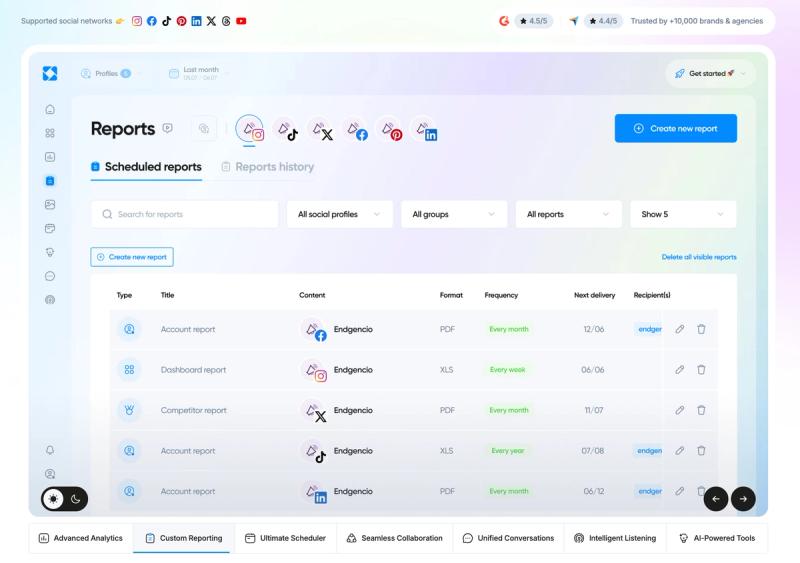
Iconosquare is an "analytics-first" tool that tracks 100+ metrics and adds AI caption tools on top. It supports Threads plus seven other networks.
Top features
- 100+ real-time metrics with custom, shareable dashboards.
- Competitor benchmarking and automated reports.
- AI caption writing and content ideas.
Pricing
- Free plan for 2 profiles and 10 posts a month.
- Launch from around €33/month.
- Scale around €69/month.
- Excel at €116, per Iconosquare.
Trust signals
- Holds a 4.5/5 average on G2 and a 4.4/5 rating on Capterra.
- Praised by agencies for reporting depth and clear dashboards.
Best for: Brands and teams that want serious reporting behind their posts.
Watch out for: It's pricey for solo users, and adding extra profiles can raise the cost quickly.
Publer
What it is
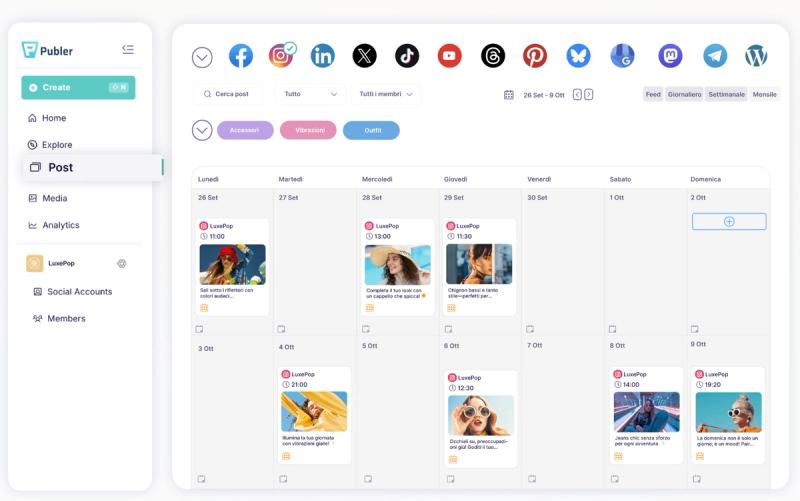
Publer pairs AI content tools with wide platform support, publishing to 12+ networks including Threads. Its AI Assist writes captions and even makes images.
Top features
- AI Assist: GPT-powered captions and idea brainstorming, plus DALL·E images.
- Bulk scheduling of up to 500 posts via CSV.
- Post recycling, first comments, and a link-in-bio page.
Pricing
- Free plan for 3 accounts (10 posts each).
- Professional from around $5/month per account.
- Business around $10/month with unlimited AI.
- Custom quotes are available for the Enterprise tier, per Publer.
Trust signals
- It holds a strong 4.7/5 on G2 from over 500 reviews.
- The platform also scores 9.5/10 on TrustRadius.
Best for: Creators posting across many platforms who want AI captions and images in one tool.
Watch out for: Per-account pricing climbs as you add accounts.
Later
What it is
Later is best if you plan content visually and post to image-heavy platforms too. It supports Threads alongside Instagram, TikTok, and Pinterest, with a drag-and-drop calendar.
Top features
- Visual drag-and-drop content calendar.
- AI caption writing and best-time-to-post suggestions.
- Link-in-bio and a media library for organizing assets.
Pricing
- Starter from around $25/month (~$18.75 billed yearly).
- Growth around $50/month.
- Scale around $110/month, per Later.
Trust signals
- A long-standing tool praised on G2 for ease of use and value.
- Popular with visual creators and small businesses.
Best for: Visual creators who treat Threads as one of several channels.
Watch out for: Threads is secondary to its Instagram-first design, and lower tiers cap how many posts you can schedule.
Sprout Social
What it is
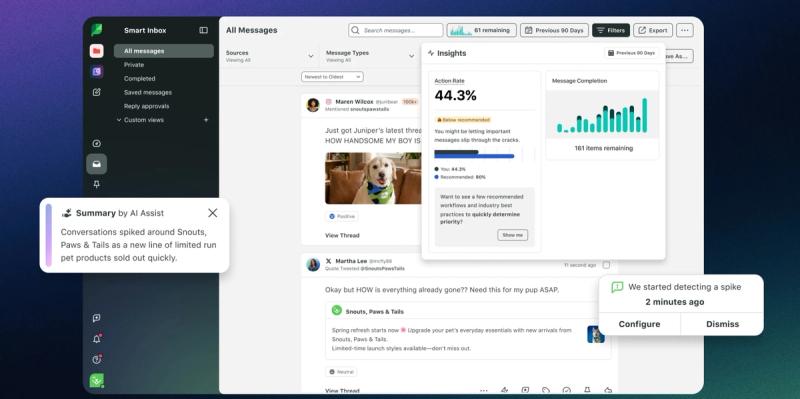
Compared to alternative tools, Sprout Social stands out as an enterprise suite for large brands that need deep reporting and a strong inbox. It supports Threads plus social listening and team workflows.
Top features
- Enterprise-grade analytics and custom reports.
- Smart Inbox that pulls comments and messages into one place.
- Social listening and structured team workflows.
Pricing
- No free plan (30-day trial only).
- Essentials at $79/seat/month.
- Standard at $199/seat/month.
- Professional at $299.
- Advanced at $399, per Sprout Social.
Trust signals
- Earned 150+ leader badges in G2's 2025 reports, with a rating of 4.4/5 given by about 6,500 reviewers.
- Trusted by large brands and enterprise teams.
- Also a 4.4/5 rating on Capterra.
Best for: Large brands and enterprise teams with the budget to match.
Watch out for: Per-seat pricing climbs fast, and social listening and premium analytics cost extra.
Vista Social
What it is
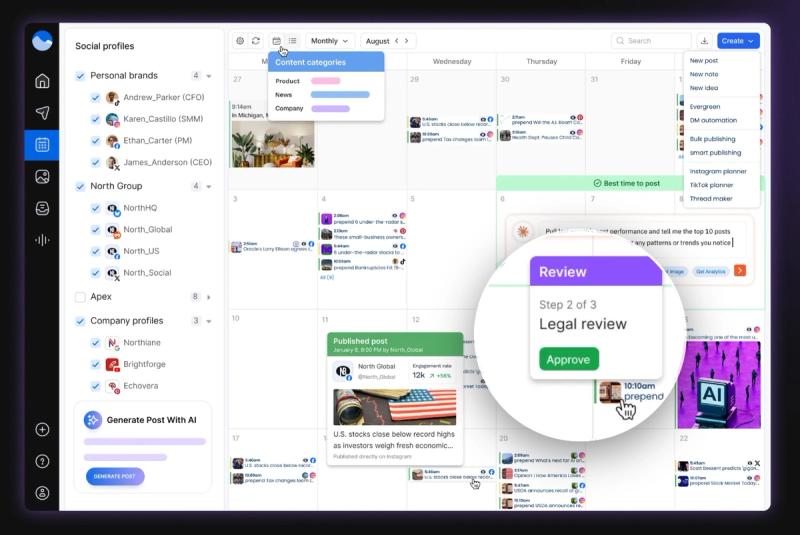
Vista Social packs the most features per dollar for small agencies, and it supports Threads while pricing by profile instead of per user.
Top features
- Scheduling and analytics with a unified inbox.
- Social listening included in all paid plans (rivals charge extra).
- AI assistant and approval workflows.
Pricing
- Free plan for 3 profiles.
- Professional at $79/month for 15 profiles and 3 users.
- Advanced at $149, Enterprise at $379, per Vista Social.
Trust signals
- Holds a 4.8/5 on G2 and 4.9/5 on Capterra.
- Positioned as a budget-friendly alternative to Hootsuite and Sprout Social.
Best for: Small agencies and teams that want a lot of features for the price.
Watch out for: AI credits are limited, and the mobile app is weaker than the desktop version.
SocialPilot
What it is
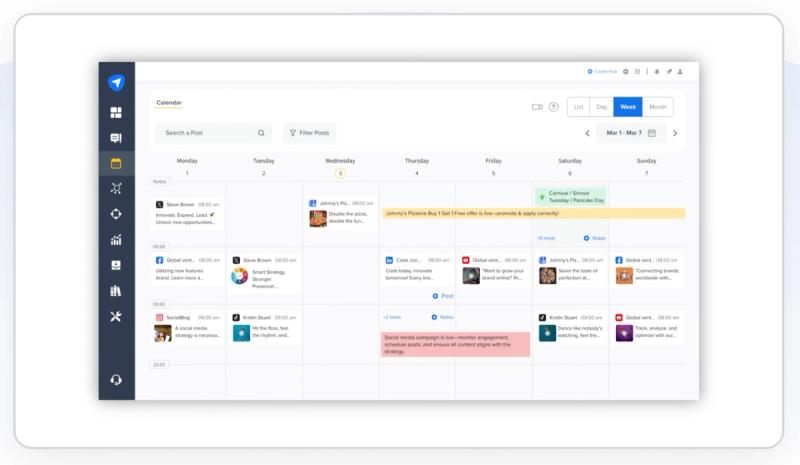
SocialPilot is built for high-volume posting, with bulk scheduling and white-label reports. It supports Threads across 10 networks and even connects to Claude through an MCP server.
Top features
- Bulk scheduling of up to 500 posts via CSV.
- White-label reports and client approval workflows.
- AI content tools and an MCP server for Claude.
Pricing
- No free plan (14-day trial).
- Essentials at $30/month.
- Standard at $50/month.
- Premium at $100.
- Ultimate at $200, per SocialPilot.
Trust signals
- Used by thousands of agencies; reviewers praise the value.
- Frequently called affordable and easy to learn on Capterra with a rating of 4.6/5.
Best for: Agencies managing many accounts on a tighter budget than Sprout or Hootsuite.
Watch out for: You have to edit each queued post individually, and some analytics sit on higher plans.
Threadify
What it is
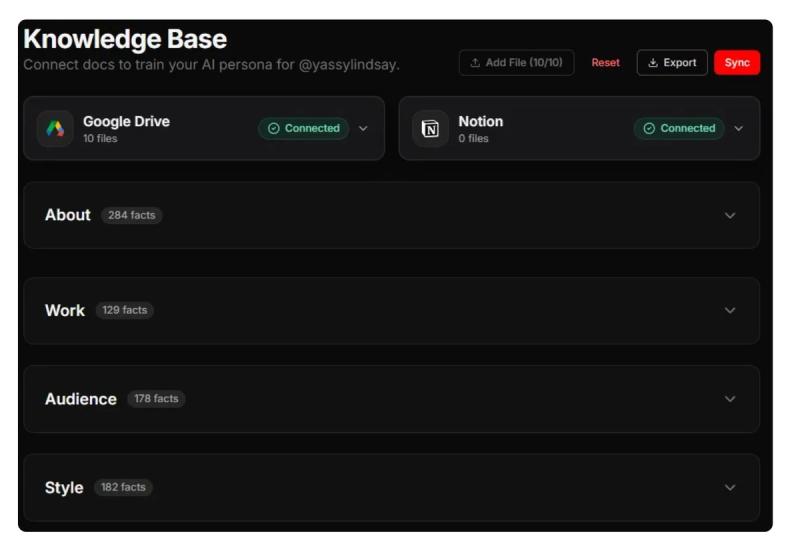
Threadify is the pick if you focus on Threads, LinkedIn, and X. What makes it stand out is its AI that is trained on viral Threads posts rather than generic social content.
Top features
- AI drafting trained on 1M+ viral Threads posts.
- "Threadify Score" that predicts how a post will do before you publish.
- Auto Plug to add CTAs, plus a viral content vault for inspiration.
Pricing
- Full-featured free plan.
- Paid from Creator at $19/month.
- Founder at $99/month
- Operator at $199/month, per Threadify.
Trust signals
- A purpose-built specialist praised for AI drafting in your own voice.
- Ships a 1M+ viral thread vault for content ideas.
Best for: Threads-first creators who care most about AI writing and growth.
Watch out for: It only covers Threads, LinkedIn, and X, so a second platform means a second tool.
Postiz
What it is
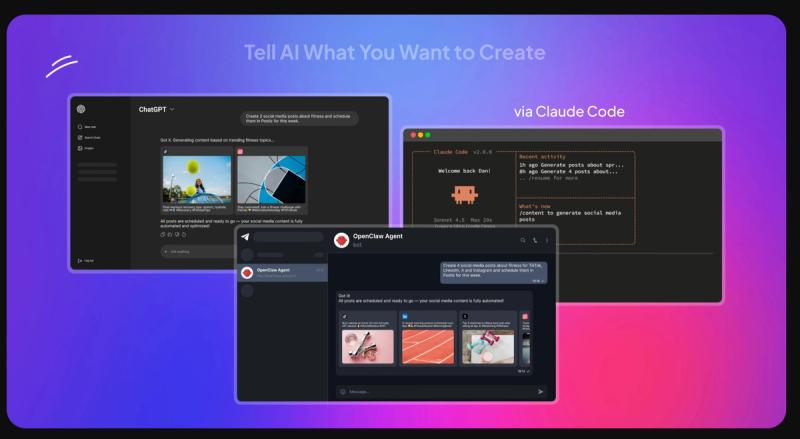
Postiz is the top open-source choice, and it's free if you self-host. It supports 30+ networks including Threads and ships a built-in AI agent.
Top features
- Built-in AI agent for drafts, images, and short videos.
- 30+ networks, a public API, and an MCP server for automation.
- Self-host for free or use the hosted SaaS.
Pricing
- Free to self-host (you cover server costs).
- Hosted Standard at $29/month (5 channels, 400 posts).
- Team at $39/month.
- Pro at $49/month.
- Ultimate at $99/month for teams and agencies, per Postiz.
Trust signals
- It has a 4.8/5 rating on G2.
- Product Hunt reviewers praise its AI features and open code.
Best for: Developers and agencies who want to own their stack and automate posting.
Watch out for: Self-hosting means you maintain it, and hosted support is Discord-only.
How Do You Choose the Best Threads Tool?
Start with one question: how central is Threads to you?
- If it's your main platform, pick BlackTwist or Threadify for the deepest Threads-specific features.
- If you post across several platforms on a budget, go with Metricool, Buffer, or Vista Social.
- If you run a big team or brand, Hootsuite or Sprout Social earn their price.
- If you're an agency posting at volume, choose SocialPilot.
- If you want AI captions and images, try Publer.
- And if you're technical and want to self-host, Postiz is the one.
FAQs
What Tool Is Used to Make New Threads?
Most creators use a scheduling tool to write and plan posts in advance. BlackTwist's Threads scheduler lets you draft, preview, and queue a month of content in one sitting.
What Tool Creates Threads?
Tools with AI can write posts for you from a simple prompt. You can even create and schedule posts by chatting with an AI assistant using BlackTwist's AI agent.
What Is the Best Method to Make Threads?
Post consistently, lead with a strong hook, and reuse what works. Here's a full Threads strategy guide that walks you through it step by step.
Is a Thread Business Profitable?
Using Threads for your business can be profitable. Threads is great for attention and building an audience for your own offer, though Meta's creator payouts ended in mid-2025. Learn what works in this Threads monetization guide.
How Do I Make My Own Thread?
Sign in with your Instagram account, tap the compose button, and post up to 500 characters with photos, videos, or a link. This beginner's guide to using Threads covers the rest.
Final Thoughts
Choosing the right-fit tool matters because the wrong one quietly costs you time and reach, forcing you into workarounds, missing features, and data that does not tell you much. The right fit does the opposite: it matches how you actually post, removes the daily friction, and helps you grow instead of just staying busy.
Still unsure? Start free and test it against your own posts for two weeks. Try BlackTwist free and get scheduling, analytics, and AI ideas in one place.