I run my Threads account from Claude. I don't open the BlackTwist dashboard for scheduling anymore. I write the post in the same conversation where I'm brainstorming, tell Claude when to publish it, and the post lands in my queue.
This is the first post in a four-part series on managing Threads with the BlackTwist MCP Server. Here's what you'll get across the series.
Post 1 (this one). Connect Claude to BlackTwist in 30 seconds and schedule your first post through a conversation.
Post 2. Plan and schedule a full week of content with a morning short post, midday thread, and evening one-liner per day.
Post 3. Set up automated follow-up replies that trigger when your best posts take off.
Post 4. Run a weekly analytics review, build a custom dashboard, and let Claude propose content pillars for the week ahead.
If Threads is where you build your audience and Claude is where you already think, this series will save you hours every week.
Try BlackTwist for free
4,000+ creators and small companies use BlackTwist to grow their audiences every month
Why Manage Threads From Claude
You already use Claude to draft posts. You brainstorm hooks, rewrite openers, and sanity check angles. But when it's time to actually publish or schedule, you switch tabs. Open BlackTwist. Paste the text. Pick a time. Click save. Switch back.
That tab switch is where your momentum dies.
The BlackTwist MCP Server removes the tab switch. Claude talks directly to your BlackTwist account and does the work for you. You describe what you want in plain English and the post lands in your queue.
There's another benefit most people miss. Claude already knows the context of your current conversation. The angle you're exploring. The audience you're writing for. The previous draft you rejected. When Claude schedules the post, it has all of that context loaded. You get a better post AND a faster workflow.
What You Need
A BlackTwist account with your Threads or Bluesky account connected. The free plan works for this tutorial. If you don't have one, sign up at blacktwist.app and connect your Threads account.
A Claude account. This tutorial uses Claude Desktop, but the same setup works for Claude Web, Claude Mobile, and Claude Code.
That's it. Two accounts. No coding required.
Connect Claude to BlackTwist
Claude uses OAuth to connect custom MCP servers. You sign in once and Claude gets access to the BlackTwist tools.
Open Claude and start a new conversation. Click the tools menu (the plus button in the composer), scroll down, and click "Add connectors".
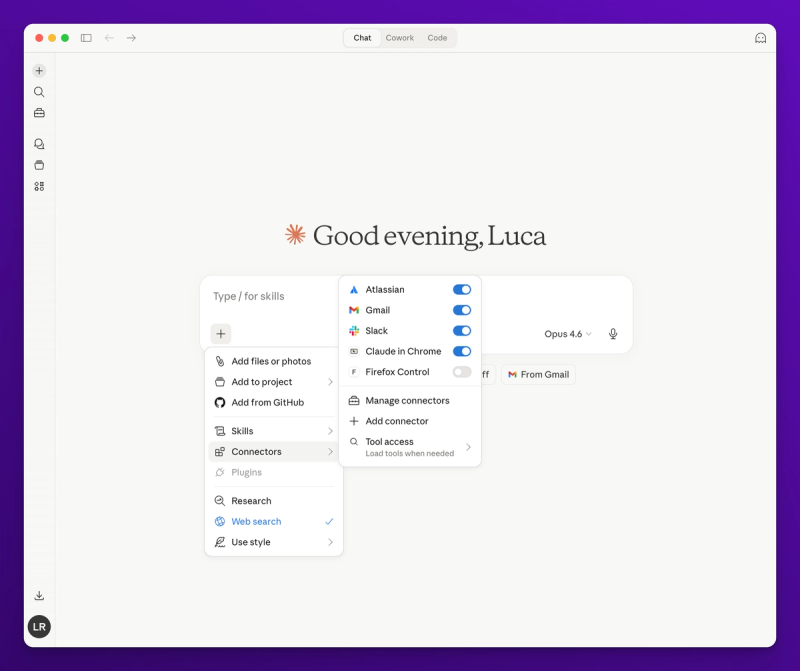
Claude connectors menu
Claude will open the connector setup panel. Click "Add custom connector" and paste this URL:
https://blacktwist.app/api/mcp
Give it a name like "BlackTwist" and click Add.
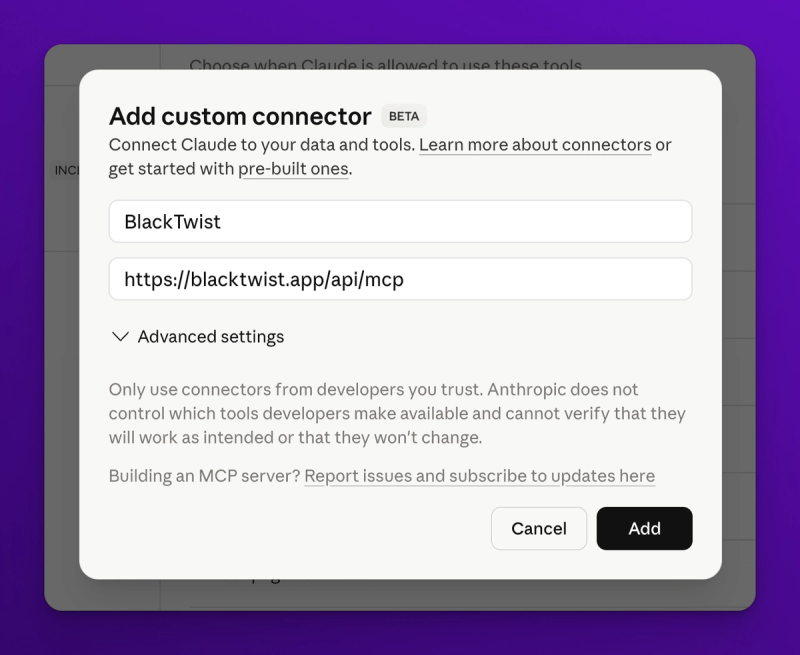
Add the BlackTwist custom connector
Claude will open a popup asking you to sign in with your BlackTwist credentials. Sign in, authorize the connection, and you're done.
Back in the conversation, click the tools menu again.
You'll see BlackTwist listed with all the available tools: create_post, list_posts, get_live_metrics, get_recommendations, and more.
About 22 tools in total.
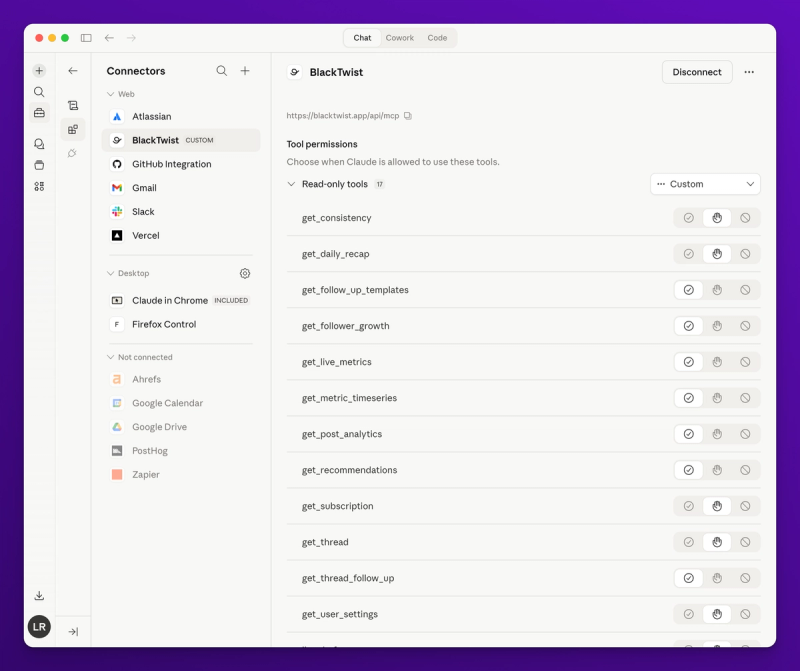
BlackTwist tools like create_post, list_posts, get_live_metrics, and get_recommendations
Your First Scheduled Post
Now for the fun part. Start a new message and type something like this.
Schedule a post on Threads for tomorrow in one of the available time slots. The post is about how I use Claude to manage my Threads content. Keep it under 500 characters and make it feel personal.
Claude will draft the post, then call the BlackTwist MCP Server to schedule it. Watch what happens next.
First, Claude checks your connected accounts with list_providers to find your Threads account. Then it calls list_time_slots to see your configured posting times. This matters because Claude respects your existing schedule instead of picking random times.
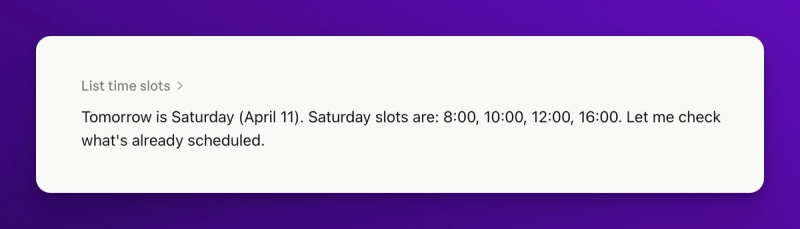
Claude checks the BlackTwist time slots
If you haven't set time slots yet, Claude will schedule at the exact time you asked for. If you have time slots, Claude will snap to the closest one or ask you to pick.
Then Claude checks list_posts to make sure you don't already have something scheduled at that time. If there's a conflict, it tells you and offers to pick the next available slot.
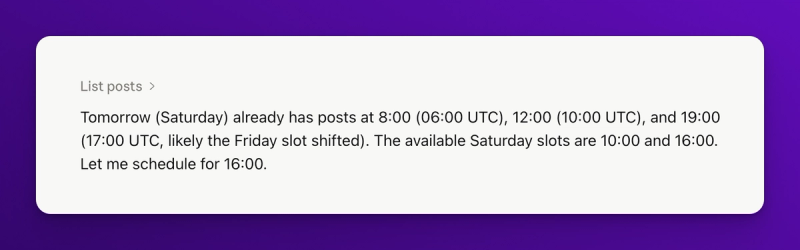
Claude checks for conflicts
Finally, Claude asks for confirmation before creating the post.
This is important. You see exactly what will be published and when, before anything happens.
Approve the post and Claude calls create_post. A few seconds later, your post is in the BlackTwist queue.
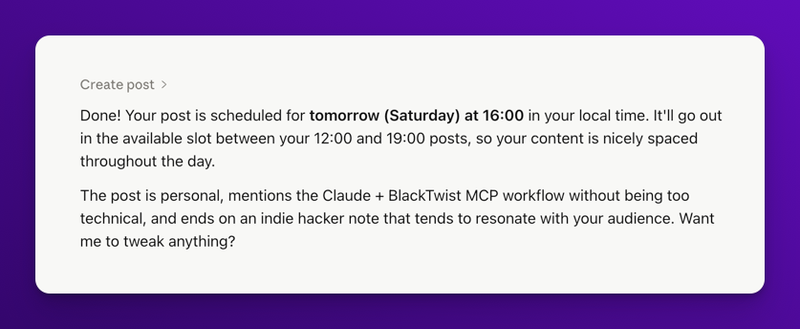
Post scheduled
Open blacktwist.app in another tab and you'll see the post in your calendar. It came from Claude, not from clicking around a dashboard.
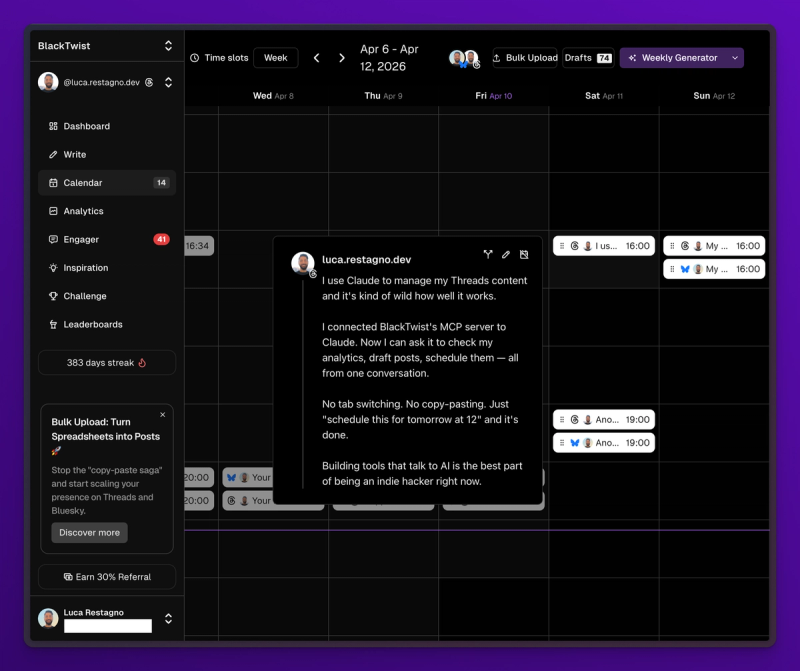
The post was scheduled to BlackTwist, ready to be published to Threads
What Just Happened Under the Hood
Claude used four MCP tools to do this. Worth understanding because you'll see them again in every workflow.
list_providers returns your connected social accounts. Claude needs this to know which account to post to when you have Threads, Bluesky, or multiple Threads accounts connected.
list_time_slots returns your configured posting times. This is how Claude respects your schedule instead of imposing its own.
list_posts returns your scheduled and published posts. Claude checks this to avoid conflicts and to reference past content.
create_post actually schedules the post. It takes the text, the provider ID, the scheduled time, and a few optional parameters like topic tags.
You don't need to memorize any of this. Claude handles it. But when you're debugging or trying a new prompt, knowing the names of the tools helps.
A Few Prompts That Work Well
Here are prompts I use regularly.
Copy them and adapt to your voice.
Write a short Threads post about [topic] and schedule it for my next available morning slot.
I just finished a call with a client about [topic]. Draft a post sharing one insight from that call and schedule it for today at 1 pm.
Schedule this draft for tomorrow at 9 am: [paste text]. Keep the text exactly as is, don't edit it.
Take my last 3 top-performing posts, find the common theme, and schedule a new post about that theme for tomorrow morning.
The last one is my favorite. Claude pulls your analytics, spots the pattern, writes a post in your voice, and schedules it. That's a three-minute workflow that used to take 30.
Common Questions
Will Claude post without asking me? No. Claude always shows you the draft and asks for confirmation before calling create_post. You can also schedule as a draft instead of a scheduled post if you want to review later in the BlackTwist dashboard.
What if I don't like the post Claude drafts? Tell Claude to rewrite it. "Make it shorter." "Less formal." "Start with a question." You iterate in the same conversation until you're happy, then schedule.
Can I schedule to multiple accounts at once? Yes. If you have multiple Threads or Bluesky accounts connected, tell Claude which one to use. "Schedule this to my business account" or "Post this to both my Threads and Bluesky."
Does this work on Claude Mobile? Yes. The OAuth setup works the same way in the Claude mobile app. You get the same tools and can schedule posts from your phone without opening any other app. Follow this guide to set it up on mobile.
Is the MCP Server free? Yes. The MCP Server is included on all BlackTwist plans, including the free tier. Post creation, draft management, and basic scheduling work at no cost. Advanced analytics features need a paid plan.
What's Next
You now have Claude wired up to your BlackTwist account, and you've scheduled your first post through a conversation. That alone saves a few minutes every day. The real payoff comes when you start planning in batches.
In Post 2 of this series, I'll show you how to plan and schedule a full week of content in one sitting. Morning short post, midday thread, evening one liner, seven days straight. All from a single Claude conversation.
If you want to try the MCP Server right now, head to the blacktwist.app/mcp/docs.
Setup takes about 30 seconds, and it's free.