Accounts, Labels and Focus
Social Media
Writing
If you manage many Threads or Bluesky accounts, Labels and Focus help you find the right account quickly and remember what each one is about while you write.
What are Labels and Focus?
- Labels are short names you attach to an account, like a client, a topic or a status (for example "Client: Harbor Yoga", "Fitness" or "Paused"). Use them to filter and search your accounts.
- Focus is a note about what an account posts and the rules to follow, like tone, language or topics to avoid. It appears next to the editor whenever you write for that account.
Labels describe accounts. To organize posts, use Tags.
Your accounts in Settings
Open Settings and select Accounts. You'll see every connected account with its labels and the first line of its Focus. Use the search bar to find an account by name, handle or label, or click the label chips to filter the list.
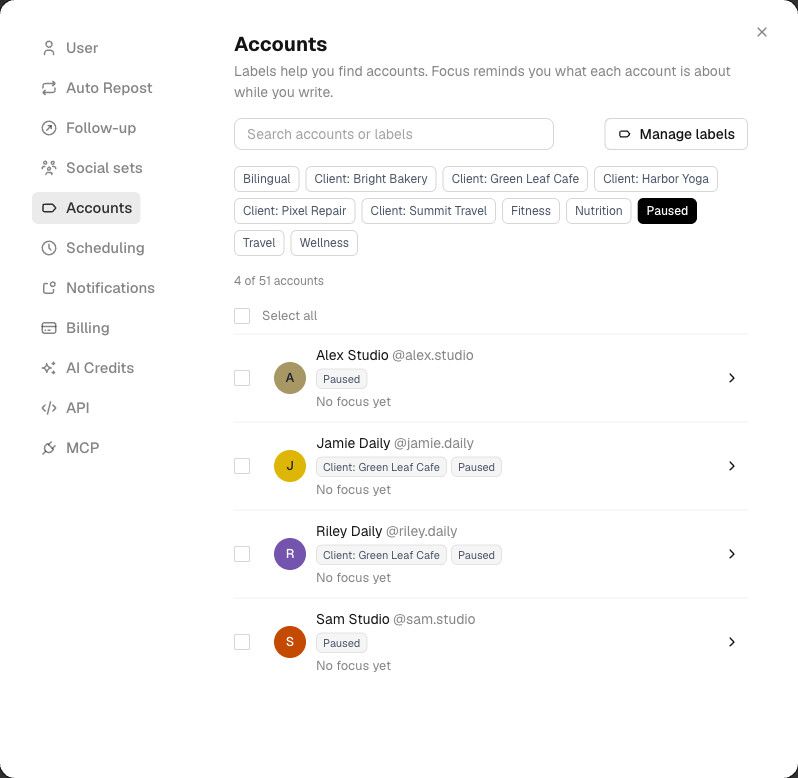
Settings > Accounts, filtered by the Paused label
Adding labels and Focus to an account
Click an account to open its details.
- In Focus, write what the account is about and anything you want to remember while writing. Each line shows up as its own line next to the editor. Focus can be up to 1,000 characters.
- In Labels, start typing to pick an existing label, or choose Create "‹name›" to add a new one. Pressing Enter adds the label only when the name matches exactly.
Click Save when you're done.
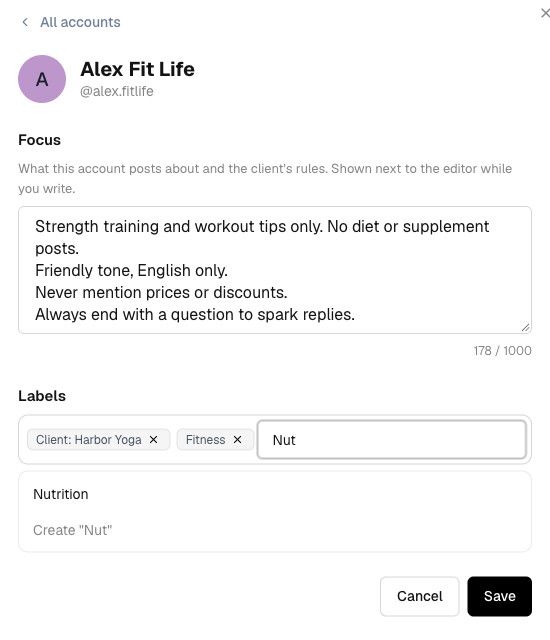
Write a Focus and pick or create labels
Labeling many accounts at once
Select accounts with the checkboxes, or use Select all to select every account currently in the list. A bar appears with Add label and Remove label: pick a label and it's applied to all the selected accounts.
To update a whole group quickly, search or filter first, then click Select all.
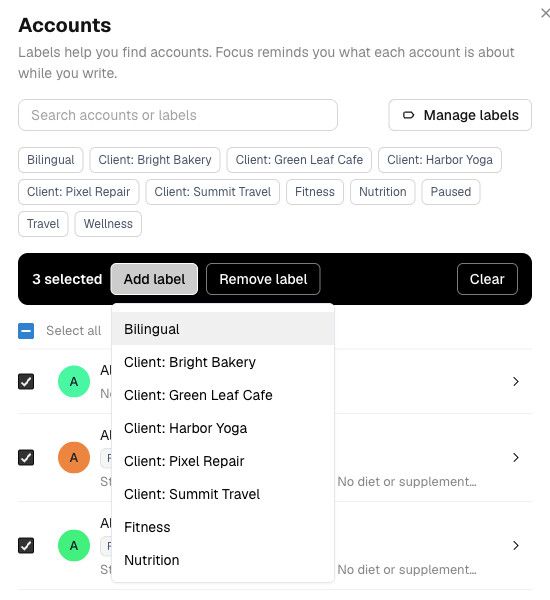
Add a label to several accounts at once
Renaming and deleting labels
Click Manage labels to see every label with the number of accounts using it. From there you can rename a label or delete it. Deleting a label removes it from every account that uses it.
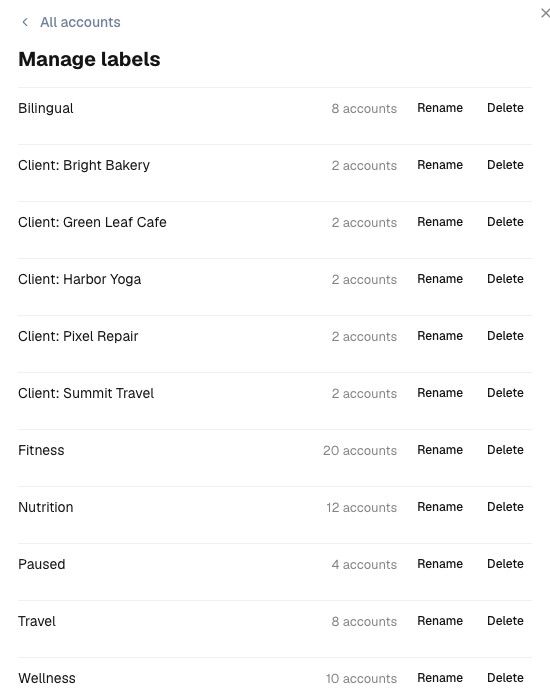
Rename or delete your labels
Finding accounts with labels
In the account switcher
Click the account at the top of the sidebar to open the account switcher. Labels appear below each handle. Click one or more labels to filter: when you select several, you see only the accounts that have all of them. Type in the search bar to match names, handles and labels at the same time.
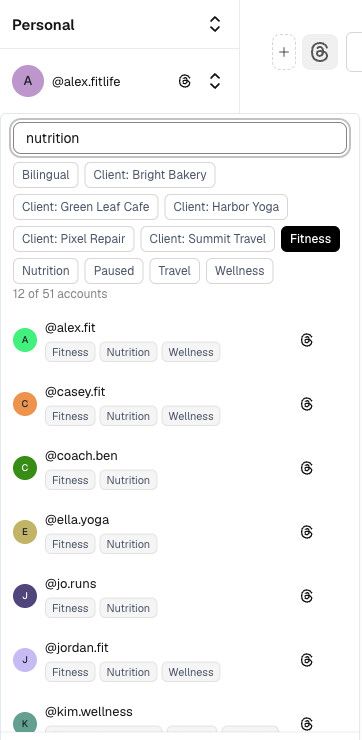
Filter by label and search in the account switcher
On mobile, the account switcher opens full screen, with the same search and label filters.
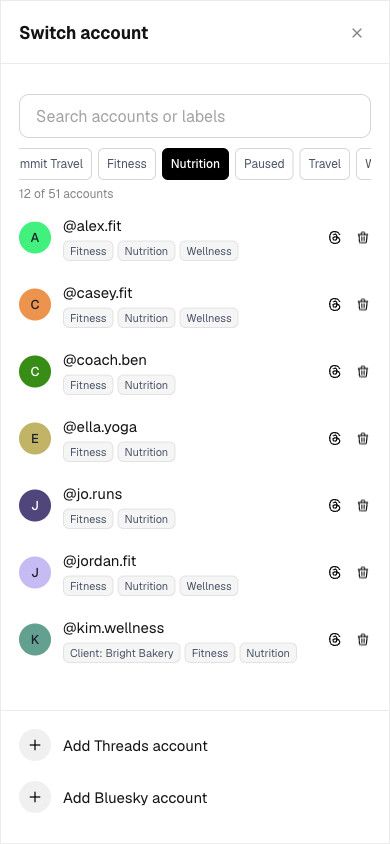
The account switcher on mobile
When choosing where to post
Labels also appear in the cross-posting picker in the editor, in the account selector at the top of the Calendar, and in the account chooser when you create a post from the Calendar. When you have many accounts, a search bar lets you find an account by name, handle or label.
The cross-posting picker still lets you choose one account per platform: labels help you find the right one.
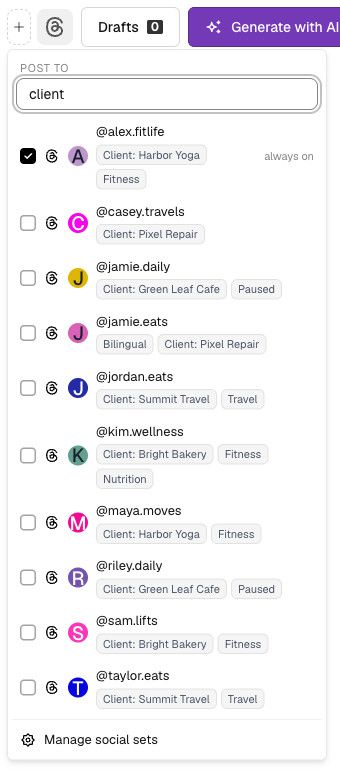
Search by label in the cross-posting picker
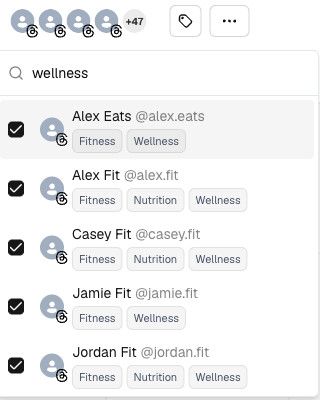
Search by label in the Calendar account selector
Seeing Focus while you write
When the selected account has a Focus, a Focus panel appears on the right of the editor, together with the account's labels. You'll see it in the Write page and when you create or edit a post from the Calendar. Click Edit in Settings to change it.
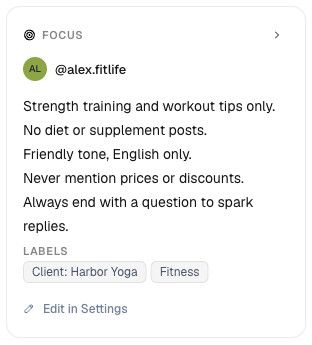
The Focus panel next to the editor
On mobile, Focus appears at the bottom of the editor and shows its first line. Tap it to read the full Focus and the labels, and tap again to collapse it.
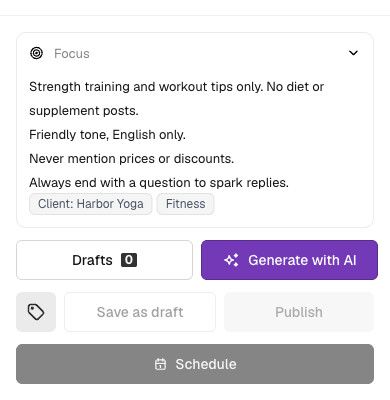
Focus expanded on mobile
Teams and permissions
In a team workspace, labels and Focus are shared with the whole team, so everyone sees the same context. Members with the Guest role can see labels and Focus but can't change them. Outside a team, your labels are private to you.
Limits
- Label names can be up to 32 characters.
- Each account can have up to 10 labels.
- You can create up to 200 labels.
- Focus can be up to 1,000 characters.
Your Threads growth starts here.
Schedule smarter. Grow faster. Start free.BlackTwist
Give your social a twist.
Links
PricingThreads SchedulerEngagerAnalyticsAI StudioCompareThreads vs. BlueskyHelp centerChangelogGlossaryBlog✨ Affiliate — Earn 30%
© Copyright 2026 BlackTwist. All rights reserved.