Allow anyone to Add Social Accounts
Social Media
In BlackTwist, you can allow your teammates or clients to connect their own social media accounts without needing your BlackTwist login credentials. This is especially helpful when managing multiple accounts across different team members or clients.
- Log in to your BlackTwist account
- Go to blacktwist.app and sign in with your credentials
- Click on Add Threads account or Add Bluesky account
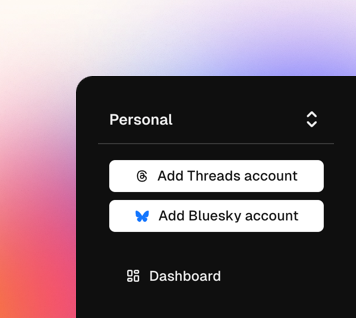
Add Social account from BlackTwist
- Click on Create connection link
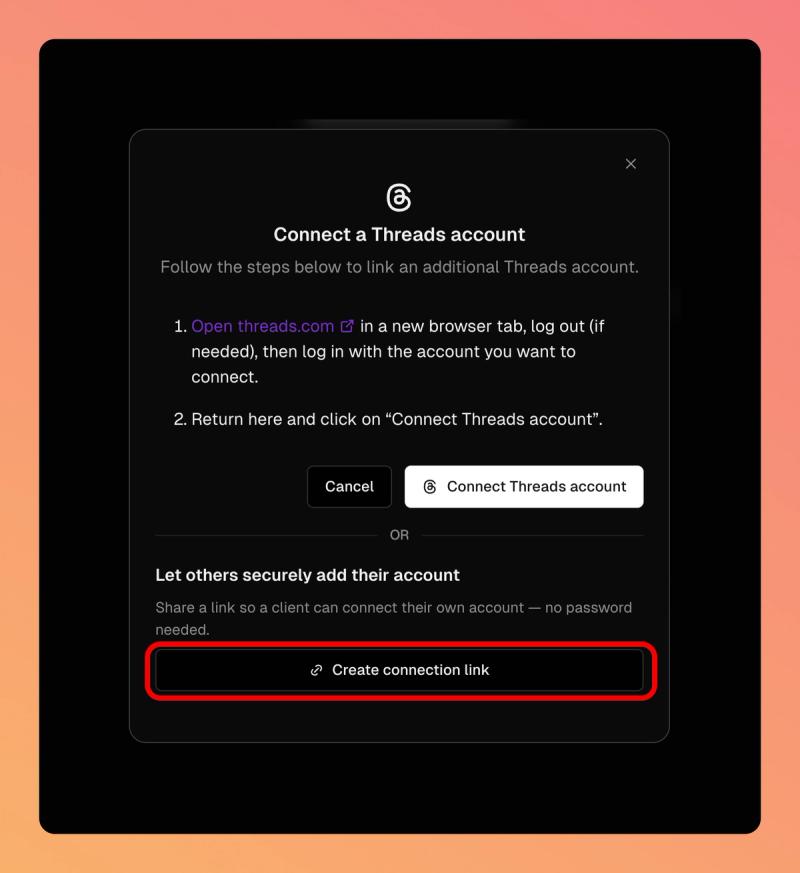
Create a Social account connection link
A new link will be generated, copy and share it with your teammates or clients.
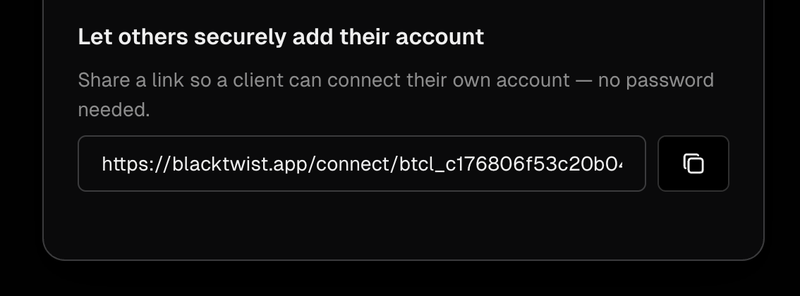
The connection link for a Social account
When they open the link, they will see a screen like this and they will be able to securely connect their Threads or Bluesky account.
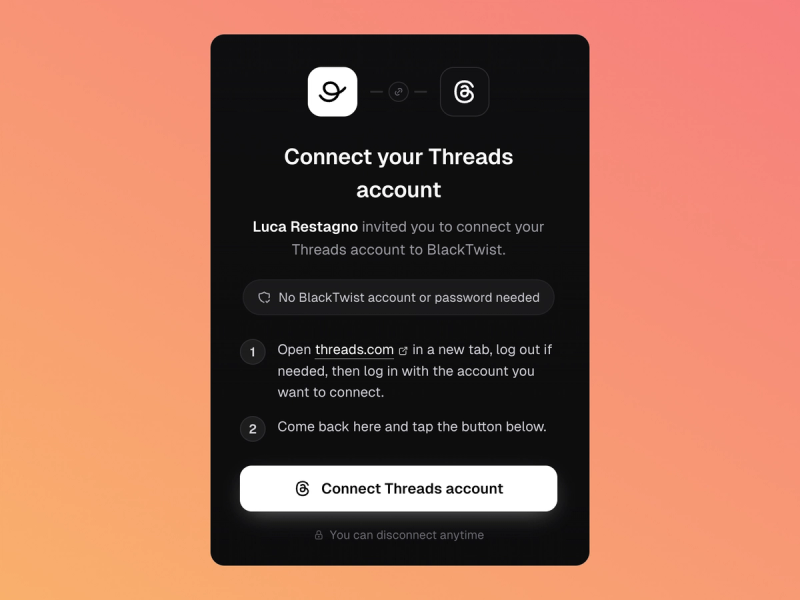
Connect Social account via a Connection link
If they provide an email, the owner of the Social account will be able to autonomously disconnect the account at any time.
A client who connects the Social account using this method, can always unlink it from BlackTwist on Threads and Bluesky.
Related articles
Your Threads growth starts here.
Schedule smarter. Grow faster. Start free.BlackTwist
Give your social a twist.
Links
PricingThreads SchedulerEngagerAnalyticsAI StudioCompareThreads vs. BlueskyHelp centerChangelogGlossaryBlog✨ Affiliate — Earn 30%
© Copyright 2026 BlackTwist. All rights reserved.